VidSupreme Review: What You Get, Full Costs and Catches
Disclosure: ReviewEpic earns a commission if you buy through links on this page, at no extra cost to you. We have not used VidSupreme hands-on. This review is a research-based assessment built from VidSupreme’s sales page, terms, partner page and the WarriorPlus checkout, all checked on 12 November 2026. How we review · Affiliate disclosure
Verdict: VidSupreme is a Windows app that turns a topic or your own script into an animated explainer video with charts, timelines, maps, a voice and captions, rendered on your own PC. The one-time price is low and the vendor is unusually open about the running costs. It suits people who make short data-heavy explainers often and are happy to set up their own AI key. Skip it if you’re on a Mac or want stock footage or talking avatars.
- Good fit for: YouTube and Shorts explainer channels, course creators and small businesses who already have scripts or topics and want animated charts and text without learning an editor.
- Not for: Mac users, anyone who needs videos longer than 5 minutes on the base app, or people who don’t want to create an OpenRouter (or similar) account.
- Main limitation: you pay your own AI provider for every video. The vendor measured about $0.16 to $0.33 per finished minute in October 2026, and most of that is the pictures.
- Price checked (12 Nov 2026): $27 one time on the WarriorPlus checkout during the launch (listed at $47 afterwards), 14-day refund. Six optional upgrades run $27 to $147 at launch prices.
See VidSupreme’s price and free trial on the official site →
VidSupreme went on sale on WarriorPlus and JVZoo on 11 November 2026, and the two launch-week reviews we read don’t list the upgrade prices. The vendor’s sales page is long and fairly candid, but the full cost is split between it, the terms and the partner page. This review puts it in one place: what the $27 app does, what it doesn’t, what each upgrade costs, and what you keep paying after checkout.
What VidSupreme is
VidSupreme is desktop software for Windows 10 and 11 (64-bit), made by developer Giang Pham. You type a topic or paste a finished script, and the app writes a storyboard with one scene per point. You can read and edit that storyboard before any picture or voice is made. The app then draws the motion itself: bar and donut charts, rankings, timelines, comparisons, maps, checklists, quotes and moving text. It adds an AI voice (or your own recording), word-timed captions and sound, and renders an MP4 on your PC.
The vendor says there are 61 animated scene types: 34 in the app you buy and 27 more in the optional Pro upgrade. Videos come out wide (16:9) or vertical (9:16) from the same script. Square 1:1 needs Pro.

How it works, and who pays for what
The app doesn’t include AI. You bring your own API key (the vendor recommends OpenRouter) and the provider bills you directly. According to the sales page, VidSupreme adds no markup. The sales page splits the work like this:
- You give it a topic, notes or a finished script. Your own script is kept word for word.
- Your AI provider writes the storyboard: about $0.002 to $0.04 a minute of video.
- The app draws the charts, text, icons and transitions on your PC. No AI call, no cost.
- Your AI provider paints the pictures, about four per minute: about $0.13 to $0.27 a minute. You can import your own pictures instead, and those cost nothing.
- Your AI provider, or you, voices the narration: $0 to $0.02 a minute (21 AI voices, a free voice, or your own recording).
- The app checks every scene for cut-off text, fixes what it can and renders the MP4. Rendering uses no credit.
Those figures are the vendor’s own, measured through OpenRouter in October 2026. Provider prices change, and your bill depends on the models you pick. A free route exists: free models write and voice the video, but OpenRouter still asks for a $0.50 balance for the word timing that drives the captions. The app has a Check balance button that reads your OpenRouter credit, and the render screen shows a running “Spent so far” figure.

If that pay-as-you-go setup sounds fine to you, you can check the current VidSupreme price and trial limits on the vendor’s page.
What the base app includes
These are vendor claims from the sales page. We haven’t run the app.
- AI script or yours: write from a topic, or paste a script and keep every word.
- 34 scene types: charts, rankings, big numbers, timelines, comparisons, maps, checklists, quotes and kinetic type, plus 336 icons drawn as each point is spoken, or emoji.
- Voice: 21 AI voices with a listen-first sample, a free voice model, or your own recording.
- Captions: timed word by word, with an .srt subtitle file saved next to the video.
- Sound: effects on the cuts, and your own background music with level, start point and fades.
- Picture check: before rendering, the app looks at real frames and flags text that is cut off or covered.
- 8-second preview of a scene before a full render.
- Languages: the script can be in any language your AI model writes. Narration depends on the voice model. Arabic and other right-to-left languages aren’t supported yet, and Chinese, Japanese and Korean use the fonts on your computer.
- Free updates to the base app “for the life of the product”, which the terms define as for as long as VidSupreme is sold and supported. Upgrades aren’t covered by that promise.
Free trial vs the paid app
You can try VidSupreme before paying. The sales page lists these limits:
| Free trial | Paid base app | With Pro upgrade | |
|---|---|---|---|
| Videos | 3 a day | No daily limit | No daily limit |
| Length | 1 minute | Up to 5 minutes | Up to 10 minutes |
| Watermark | Yes | No | No |
| Formats | Wide (16:9) only | Wide and vertical (9:16) | Adds square (1:1) |
| Scene types | Not stated | 34 | 61 |
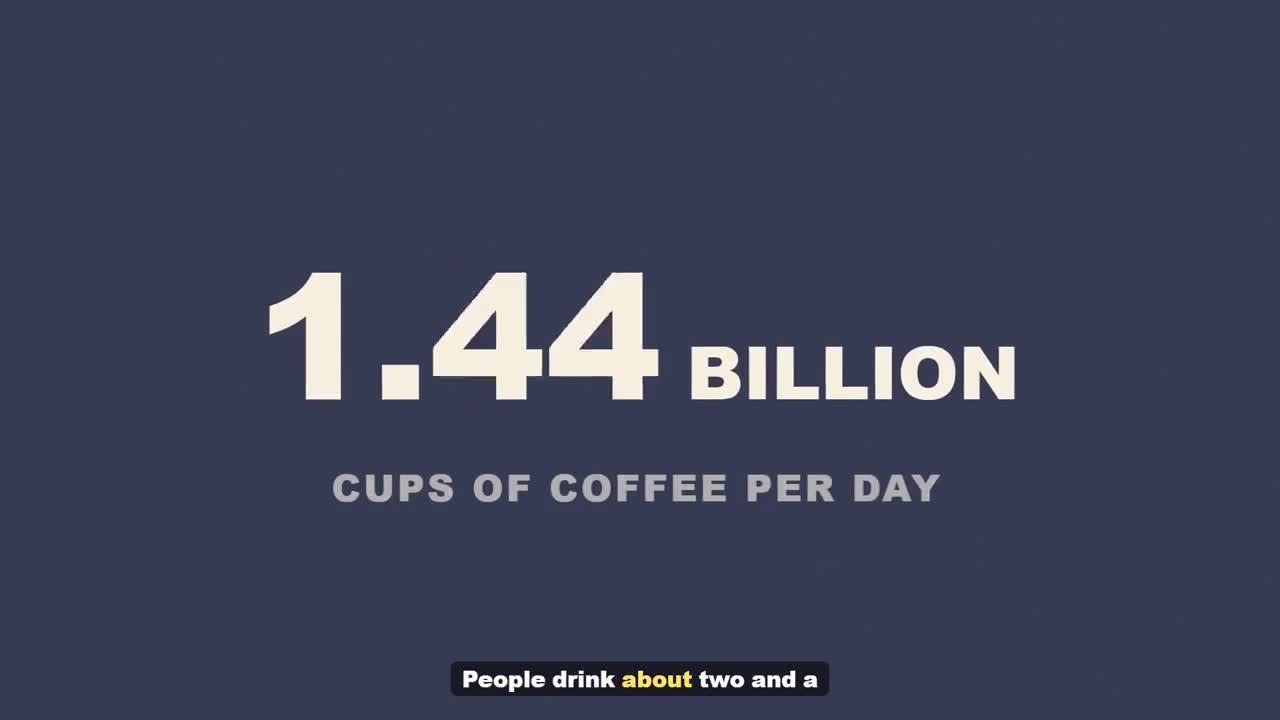
The setup steps on the sales page include pasting an AI key, so expect to create an OpenRouter account even for the trial. Run the trial on two or three of your own topics before you pay, so you see the style on your subject rather than the demo coffee video.
VidSupreme pricing, upgrades and refund
The WarriorPlus checkout we opened on 12 November showed “VidSupreme – AI Explainer Video Maker” at $27, down from $47, with a standard licence and a 14-day money-back line. The vendor’s partner page says the launch price runs until Monday 16 November 2026, 9 PM US Central (Tuesday 17 November, 8:30 AM IST), and the app is $47 after that. Upgrade prices below come from the vendor’s partner brief and the price settings used by its sales pages:
| Offer | Launch price | Listed price after launch | What it adds | Do you need it? |
|---|---|---|---|---|
| VidSupreme (base app) | $27 | $47 | The Windows app, 34 scene types, AI or own script, voice, captions, preview, picture check, 2 computers | Yes |
| Pro | $77 | $97 | Detailed editor, 27 more scene types, brand kit, “Studio quality”, videos up to 10 minutes, square format | Only if you need 10-minute or square videos, or more scene variety |
| YouTube Pack | $37 | $47 | 3 title ideas, a description with chapters, tags and thumbnails | Optional: an AI chat tool can draft titles and tags |
| Batch and Shorts | $47 | $67 | Many videos at once, and up to 5 vertical clips cut from one video | Only for high volume |
| Niche Packs | $27 | $37 | 20 niches and 300 ready topics, each with tone, pace and length (3 niche groups are free in the base app) | Optional |
| Agency | $127 | $197 | A brand kit per client, a hand-off folder and a sales kit | Only if you make videos for clients |
| Fast Pass (bundle) | $147 | $197 | Pro, YouTube Pack, Batch and Shorts and Niche Packs together (not Agency) | Cheaper than buying those four separately ($188 at launch) |
Note on the Fast Pass price: the vendor’s offer configuration and partner brief list it at $147 during the launch. One line on the vendor’s partner (JV) page shows $177, which looks like a leftover default, so this table uses $147.
Buying everything at launch prices comes to $301 (base app, Fast Pass and Agency). The vendor says the base app is complete without any upgrade and that every upsell page has a “No thanks” link.
Ongoing costs: no subscription to VidSupreme, but you pay your AI provider per video. At the vendor’s figures, a 5-minute video works out at roughly $0.80 to $1.65 in AI usage. Importing your own pictures cuts most of that.
Refund: 14 days. The sales page says to ask through the marketplace you bought from, while the WarriorPlus checkout notes that payments go to the vendor and refund requests go to the vendor. Either way, email support@phamstud.com within 14 days if it isn’t for you. The vendor also offers a “cost promise”: if the AI costs far more than stated, you can ask for a refund inside those 14 days. A refunded licence stops working and the account goes back to the free trial.
Our suggestion: start with the base app and the free trial. Add Pro only if the 5-minute cap or the missing square format gets in your way.
Check current VidSupreme pricing and upgrade options →
Catches to know before you buy
- Windows only. No Mac, browser or mobile version is listed. Long videos render slower on older PCs, because rendering happens on your machine.
- Unsigned installer. The vendor says Windows will show an “unknown publisher” warning because the installer isn’t code-signed yet. You’d have to choose More info, then Run anyway. Only download it from the link on your purchase page.
- Google sign-in and online licence checks. You sign in with Google, and the vendor says it only receives your email, name and account ID. The terms say the app checks your licence online from time to time, with a limited offline grace period.
- Personal licence, 2 computers. The terms call the licence personal and non-transferable. The FAQ says you can make videos for clients, and the terms say you keep the rights to videos you make, subject to the AI providers’ terms. The vendor also warns that some free AI models don’t state commercial terms, so check the model before using its output for paid work.
- Launch pricing. The sales page shows a countdown to the end of launch pricing. The partner page gives the date (16 November 2026), so it isn’t an open-ended timer, but the price after that is $47.
- Who you’re buying from. The maker is Giang Pham. The WarriorPlus checkout lists the seller account as “juned6”, and the sales page footer names JVZoo as the retailer even though the same offer is sold on WarriorPlus. Your receipt may show a different name from the one on the sales page, so keep the support address handy.
- AI output needs checking. The terms say AI output can be wrong and you’re responsible for facts, names and numbers. That matters for chart-heavy videos, because a wrong number looks convincing once it’s animated.
Who it suits, and who should skip it
| Your situation | Fit | Why |
|---|---|---|
| Faceless YouTube or Shorts explainer channel on Windows | Good | Charts, timelines and captions from a script, wide and vertical from one project, cents per minute in AI |
| Course creator with existing lesson scripts | Good | Keeps your script word for word; checklists and step scenes suit lessons |
| Freelancer making videos for several clients | Possible | The base app allows client videos; per-client branding is in the $127 Agency upgrade |
| Mac or Chromebook user | No | Windows 10/11 64-bit only |
| You want stock footage, live action or talking avatars | No | VidSupreme draws animated scenes and AI pictures; tools such as Pictory or avatar tools fit better |
| You need 10-minute videos | Only with Pro | The base app stops at 5 minutes |
Pros and cons
Pros
- One-time price for the app, with no render credits or minute caps from VidSupreme
- Running costs are published per step and visible in the app
- Storyboard review before you spend anything on pictures or voice
- Wide and vertical versions from the same script, with an .srt file
- A free trial and a 14-day refund
Cons
- Windows only, and the installer isn’t code-signed yet
- You need your own AI account and key
- 5-minute cap and no square format without the $77 Pro upgrade
- Brand-new product (launched 11 Nov 2026), so there’s no long track record of updates or support
- Six upsells after checkout; the full set is $301 at launch prices
VidSupreme alternatives
| Tool | Price model | Best for | Key difference vs VidSupreme | Tested? |
|---|---|---|---|---|
| VidSupreme | $27 one time at launch ($47 after), plus your own AI usage | Animated chart and text explainers on Windows | This review | No |
| Pictory | Starter $25 a month billed yearly, or $29 monthly (12 Nov 2026) | Script-to-video with stock footage, in the browser | Cloud-based with Getty and Storyblocks footage, but Starter caps you at 30 minutes a month and paid plans have no refunds | No |
| VidToon 2.1 | $49 one time | Drag-and-drop 2D cartoon animation | You build each scene by hand; no topic-to-video AI | No |
| InstaDoodle | One-time or monthly plans | Whiteboard (hand-drawn) style videos | Browser-based, different visual style, credits for AI images | No |
Pick Pictory if you’d rather not install anything and want real footage. Choose VidToon if you want full manual control over cartoon scenes. InstaDoodle fits if the hand-drawn whiteboard look is what you’re after. VidSupreme makes the most sense when your videos are mostly numbers, lists and timelines and you already use a Windows PC.
VidSupreme FAQ
Is VidSupreme a one-time payment?
The app is. On 12 November 2026 the WarriorPlus checkout showed $27 one time, listed at $47 after the launch ends on 16 November. There’s no VidSupreme subscription, but you pay your AI provider for usage, which the vendor puts at about $0.16 to $0.33 per minute of finished video.
Do I need an OpenRouter or OpenAI key?
Yes. VidSupreme uses your own AI key for the script, pictures and voice. The vendor recommends OpenRouter, which has free models. Even the free route needs a $0.50 balance on OpenRouter for caption word timing. The vendor says that balance is a minimum, not a charge.
What’s the VidSupreme refund policy?
14 days. The sales page says to ask through the marketplace, and the WarriorPlus checkout says refund requests go to the vendor, so contact support@phamstud.com and keep your receipt. A refunded licence returns your account to the watermarked free trial.
Does VidSupreme work on Mac?
No. It’s listed for Windows 10 and 11, 64-bit only. Videos render on your own PC, so speed depends on your hardware.
Is VidSupreme worth it?
If you make short explainer videos with charts, lists and timelines on a Windows PC, the $27 app plus a few cents per minute is cheap next to a monthly video tool. Try the free trial on your own topic first. If you need stock footage, avatars or a Mac, it’s the wrong tool.
VidSupreme vs Pictory: which is cheaper?
For light use, VidSupreme: $27 once plus AI usage, against Pictory Starter at $25 a month billed yearly for up to 30 minutes a month. Pictory gives you stock footage, avatars and a browser app, which VidSupreme doesn’t, so compare the kind of video first.
Final verdict
Buy VidSupreme if you’re on Windows, make animated explainers with data or step-by-step points, and don’t mind paying an AI provider a few cents per minute. Start with the base app and the free trial; add Pro only for 10-minute or square videos, and Agency only if you have paying clients. Skip it if you’re on a Mac or want footage and presenters.
Last updated 12 November 2026. Prices, trial limits and refund terms checked on the VidSupreme sales page, terms, partner page and WarriorPlus checkout that day. Launch prices end 16 November 2026; we’ll update this page when the price changes.
Related: VidToon overview · InstaDoodle review · Speechelo review (text-to-speech) · VidToon AI explained