VidToon AI: What It Is and How It Differs From VidToon 2.1
Disclosure: ReviewEpic earns a commission if you buy through links on this page, at no extra cost to you. We have not tested VidToon AI, VidToon 2.1 or Voicely hands-on. This explainer is based on VidToon’s own pages (ai.vidtoon.com, its pricing and terms pages, the VidToon 2.1 and Voicely sales pages), checked 11 Nov 2026, plus the ClickBank order form we checked on 6 Nov 2026. How we review · Affiliate disclosure
Short answer: “VidToon AI” is a separate web app at ai.vidtoon.com that turns a text prompt into a narrated video presentation and charges in credits ($10 to $500 a month, or $0.125 a credit pay-as-you-go). The $49 VidToon 2.1 sold on ClickBank is a separate drag-and-drop desktop animation app, and the only AI-style feature on its sales page is text-to-speech with Microsoft and Google voices.
VidToon 2.1 is best for: people who want to build 2D cartoon explainers scene by scene and pay once.
VidToon AI is best for: people who want a video drafted from a prompt and accept a monthly or per-credit bill.
Main limitation: no VidToon page we checked says a VidToon 2.1 licence includes VidToon AI credits, so plan on two separate purchases if you want both.
Prices checked 11 Nov 2026: VidToon 2.1 $49 one-time (sales page); VidToon AI Starter $10/month for 100 credits; Voicely 2.0 $69 one-time (its sales page).
Google suggests “vidtoon ai” next to “vidtoon 2.1” and “voicely by vidtoon”, and some directory sites now describe “VidToon AI” as the drag-and-drop cartoon editor. That mixes up three different products sold under the VidToon name. Below: what each one does, what each costs, and which one our affiliate links sell. For the full desktop-app rundown see our VidToon 2.1 overview.
Three VidToon products, side by side
| VidToon 2.1 | VidToon AI | Voicely 2.0 | |
|---|---|---|---|
| What it is | Desktop app: drag characters, backgrounds, text and audio onto a timeline | Web app: type a topic, AI generates images, voiceover, subtitles and music into a video | Web app that turns text into voiceover audio files |
| Where it runs | Windows (min i5, 8GB RAM) or Mac; not iPad, phone or Chromebook | Browser, at ai.vidtoon.com (own sign-in, Google or email) | Browser, opened from your VidToon account |
| AI part | Text-to-speech with Microsoft and Google voices (vendor) | Image models “Nano Banana” and “Gemini 3 Pro”, “Veo 2” animation, 50+ voices (vendor) | Basic, Standard and Neural voices; “+60 languages and +500 voices” (vendor) |
| How you pay | $49 one-time (struck “$67/Month”) | $10, $50, $100 or $500 a month for 100 to 5,000 credits, or $0.125 a credit | $69 one-time; extra Standard/Neural use is billed per character |
| Refund line | Sales page: 30 days risk-free; ClickBank order form: 60 days (6 Nov check) | Terms: purchased credits non-refundable unless otherwise stated | Sales page: 7-day money-back; no refund once credits are used |
| Sold through | ClickBank (our links go here) | Whop (cards, PayPal) | ClickBank checkout linked from vidtoon.com/voicely |
What VidToon AI actually is
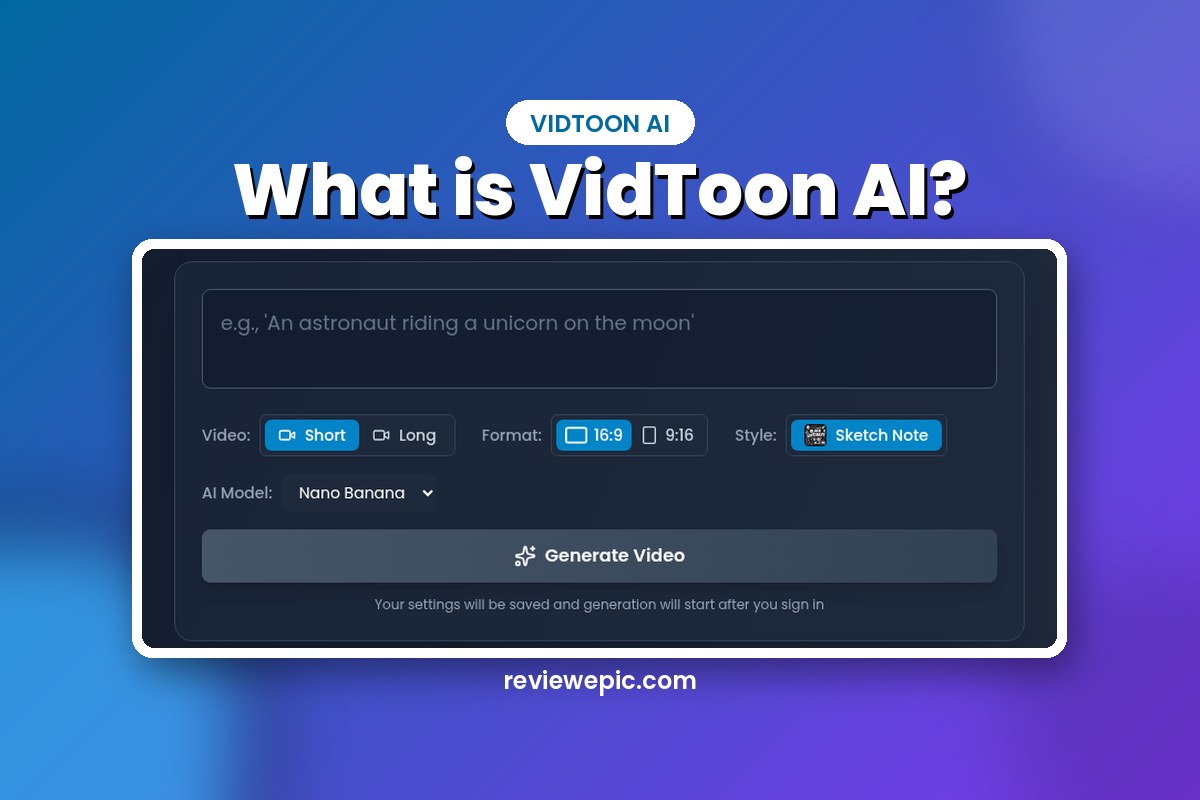
The home page at ai.vidtoon.com is titled “VidToon: AI Video Studio”. You type a topic into a prompt box, pick Short or Long, 16:9 or 9:16, a style (Sketch Note is the one shown on the home page) and an image model, then press Generate Video. Generation starts only after you sign in. The terms page describes the service as “an AI-powered video generation platform that allows users to create video presentations from text prompts”, with AI images, voiceover, rendering and export.
In VidToon 2.1 you place each character, background and line of text yourself. VidToon AI drafts the whole video from your prompt. The home page’s demo slot still read “Demo Video Coming Soon” on 11 Nov 2026, so there was no official sample output to judge.
VidToon AI pricing and credits
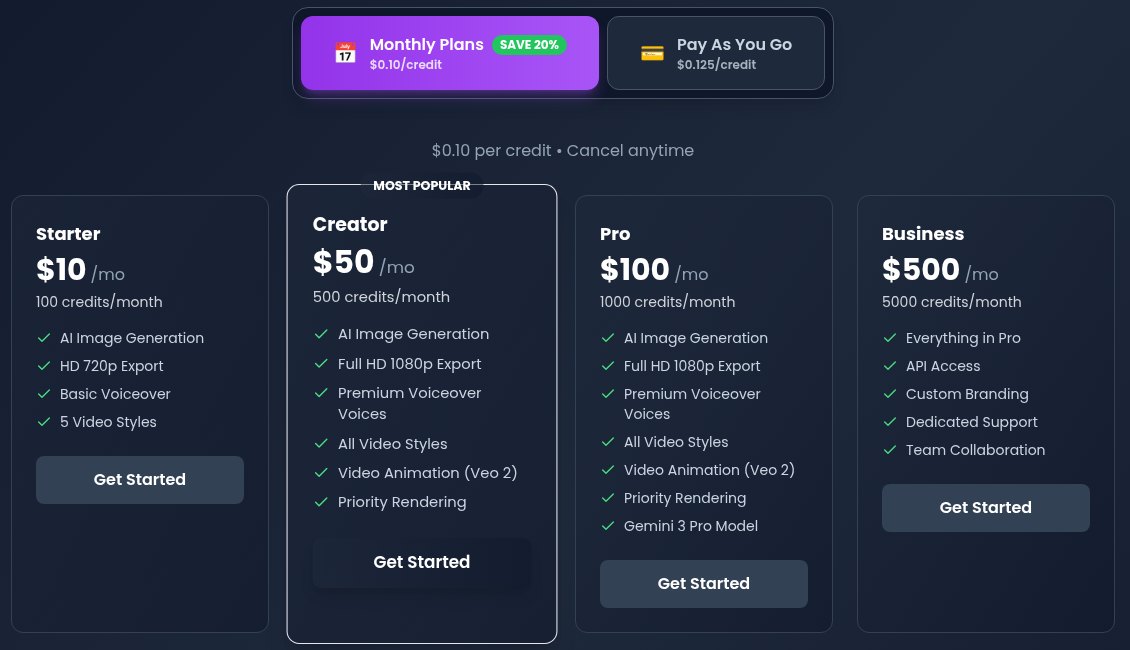
| Plan | Price | Credits | What the plan card adds |
|---|---|---|---|
| Starter | $10/month | 100 a month | AI images, HD 720p export, basic voiceover, 5 video styles |
| Creator | $50/month | 500 a month | Full HD 1080p, premium voices, all styles, Veo 2 video animation, priority rendering |
| Pro | $100/month | 1,000 a month | Creator features plus the Gemini 3 Pro model |
| Business | $500/month | 5,000 a month | Everything in Pro, API access, custom branding, dedicated support, team collaboration |
| Pay as you go | $0.125 a credit | Buy as needed | No subscription |
Three things the pricing page doesn’t tell you:
- How many credits one video uses. The page lists credits per plan but not the credit cost of an image, an animation or a finished video, so you can’t work out how many videos $10 buys before you sign up.
- Whether there’s a free allowance. The home page has a “Get Started Free” button, but the pricing page shows no free plan and no free-credit amount. We didn’t create an account to check.
- Whether unused credits carry over. The terms (last updated 19 Jan 2026) say “Unused credits may expire according to your subscription terms” and that purchased credits are “non-refundable unless otherwise stated”.
On rights, the same terms say generated images, videos and voiceovers are “licensed to you for commercial and personal use”. Support is by email at support@vidtoon.ai, with a stated reply time of 24 to 48 hours on the contact page.
Where AI shows up in VidToon 2.1
The VidToon 2.1 sales page never uses the name “VidToon AI” and doesn’t link to ai.vidtoon.com. Its voice section says you can “Add Realistic Text To Speech Voices From Microsoft and Google”: you type the script and 2.1 reads it out. Everything else on that page is about the manual editor: characters, backgrounds, a smart timeline, video import in 2.1, and commercial rights included in the $49 offer.

If you want to type a topic and get a video back, 2.1 won’t do that. If you want control over every scene and a one-time price, it’s the closer fit. Our VidToon 2.0 vs 2.1 comparison lists what 2.1 added, and VidToon free download covers the missing trial and the download path.
Check what the $49 VidToon 2.1 desktop app includes →
Voicely: VidToon’s separate voiceover app
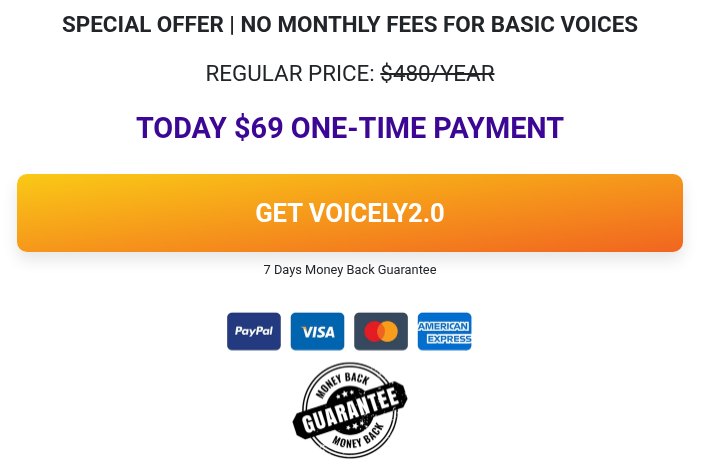
The “voicely by vidtoon” search is about a third product. The Voicely 2.0 sales page sells it for $69 one-time (struck “$480/YEAR”) with a 7-day money-back line. The vendor says the price includes unlimited Basic voices and 50 credits, which it equates to 20 hours of Standard or 10 hours of Neural voices. After that, the page lists $0.0002 a character for Standard and $0.0004 for Neural, and says no refund is given once credits are used, in full or in part.
VidToon’s affiliate page also lists Voicely at $49 as a step in the VidToon 2.1 sales funnel (seen 27 Oct 2026 for our overview), so the price depends on where you meet the offer. Per VidToon’s help centre, you open Voicely from your VidToon account with a “Voicely Access” button.
Which one fits what you want to do?
| You want to… | Look at | Why |
|---|---|---|
| Build cartoon explainers scene by scene and pay once | VidToon 2.1 | $49 one-time desktop editor with characters and backgrounds |
| Get a draft video from a typed topic | VidToon AI | Prompt-to-video web app; budget per credit |
| Make voiceover files for any editor | Voicely 2.0 (or 2.1’s built-in voices) | MP3 voiceovers; Basic voices unlimited, better voices on credits |
| Work on a Chromebook, iPad or phone | Not VidToon 2.1 | 2.1 is desktop/laptop only; the two web apps run in a browser |
| Keep costs fixed with no monthly bill | VidToon 2.1 or Voicely | Both one-time; VidToon AI is credit-based |
If prompt-to-sketch video is the draw, InstaDoodle sells a similar idea with its own credit rules; see our InstaDoodle AI credits guide. For voices on their own, our Speechelo review covers another one-time text-to-speech tool.
FAQ
Is VidToon AI included when I buy VidToon 2.1?
Not that we could find. The 2.1 sales page doesn’t mention it, and VidToon AI has its own sign-in and its own Whop billing. Ask support@vidtoon.com before buying if you’re counting on it.
Is VidToon AI free?
The home page says “Get Started Free”, but the pricing page lists only paid plans from $10 a month and pay-as-you-go credits at $0.125 each. It doesn’t state a free-credit amount.
Can I use VidToon AI videos commercially?
The terms say generated content is licensed to you for commercial and personal use, and you must not create content that infringes someone else’s intellectual property.
Does VidToon 2.1 have AI voices?
The sales page says it has text-to-speech with Microsoft and Google voices. Voicely is the separate, paid voice app with more voice tiers.
Bottom line
VidToon AI is VidToon’s credit-based prompt-to-video web app; the $49 desktop editor is VidToon 2.1. Buy VidToon 2.1 if you want to animate by hand and pay once; try VidToon AI if you want drafts from a prompt and can live with per-credit costs that aren’t spelled out per video yet. Our links below go to the VidToon 2.1 offer only.
View the VidToon 2.1 desktop app on the official site →
Related: VidToon 2.1 overview · VidToon 2.0 vs 2.1 · VidToon free download · InstaDoodle AI credits